














პირად კაბინეტში ვირჩევთ დომენის რეგისტრაციას
In your profile go to Domain Registration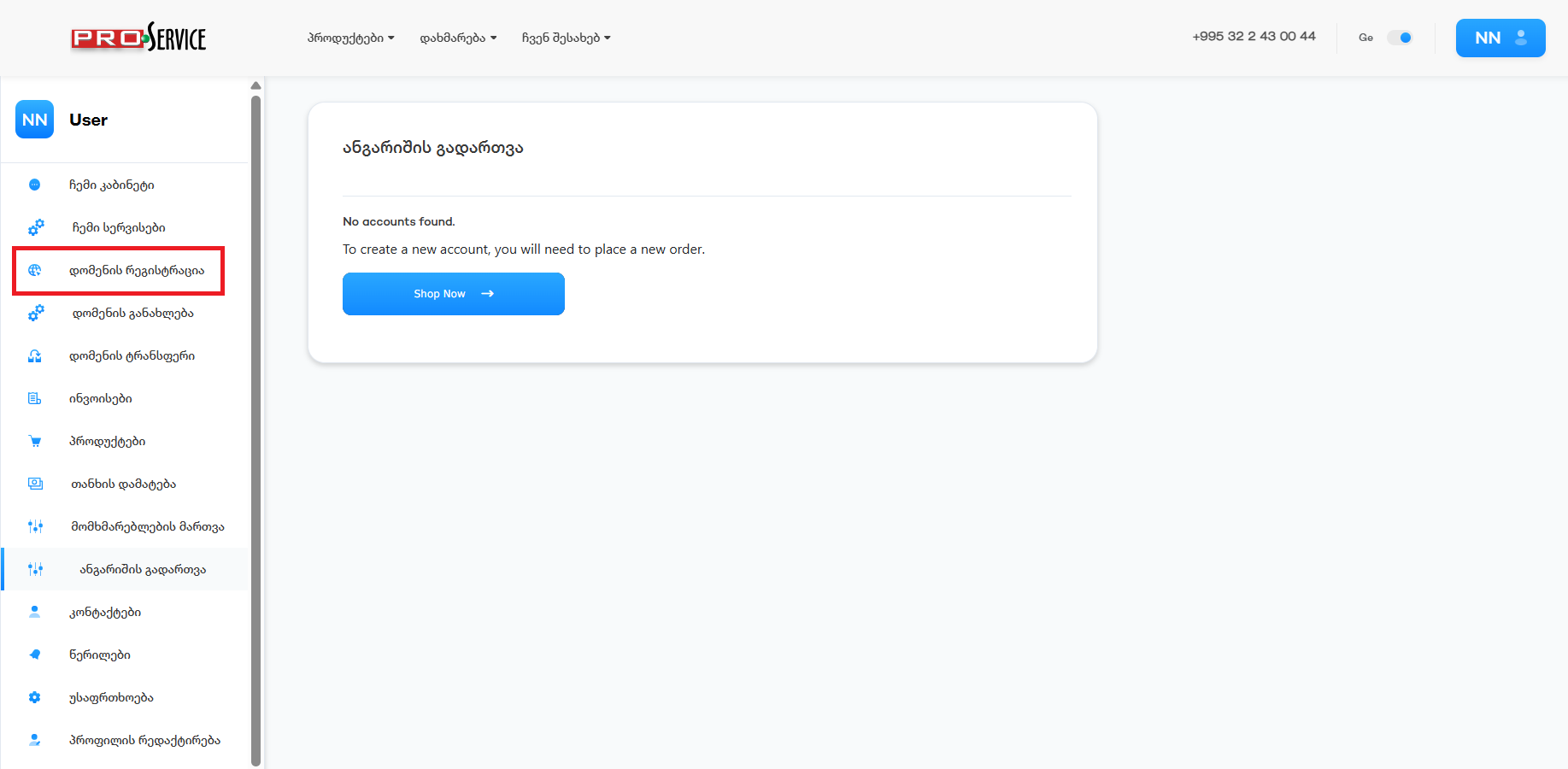
ვწერთ დომენს რომლის რეგისტრაციაც გვსურს, ამ შემთხვევაში knowledgebase.ge და ძიება
In the search bar, insert the domain you are about to register, in this case, knowledgebase.ge and Search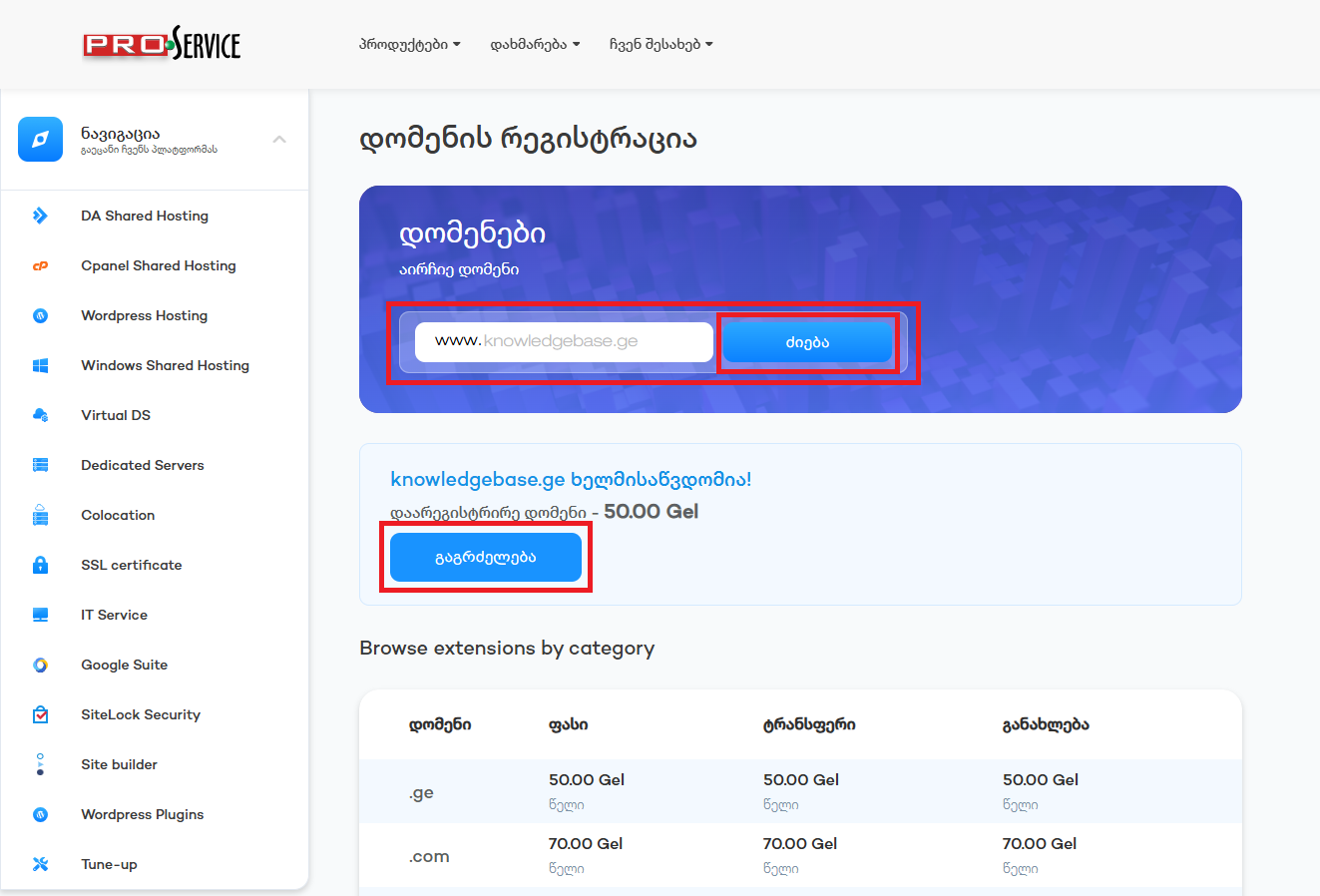
თუ გსურთ რომ არ ფიქსირდებოდეს ვის ან რომელ კომპანიას ეკუთვნის ეს დომენი, ამ შემთხვევაში, მონიშნეთ პირადი ინფორმაციის დამალვა და გააგრძელეთ
if you wish to hide your personal information publicly of person or company related to the domain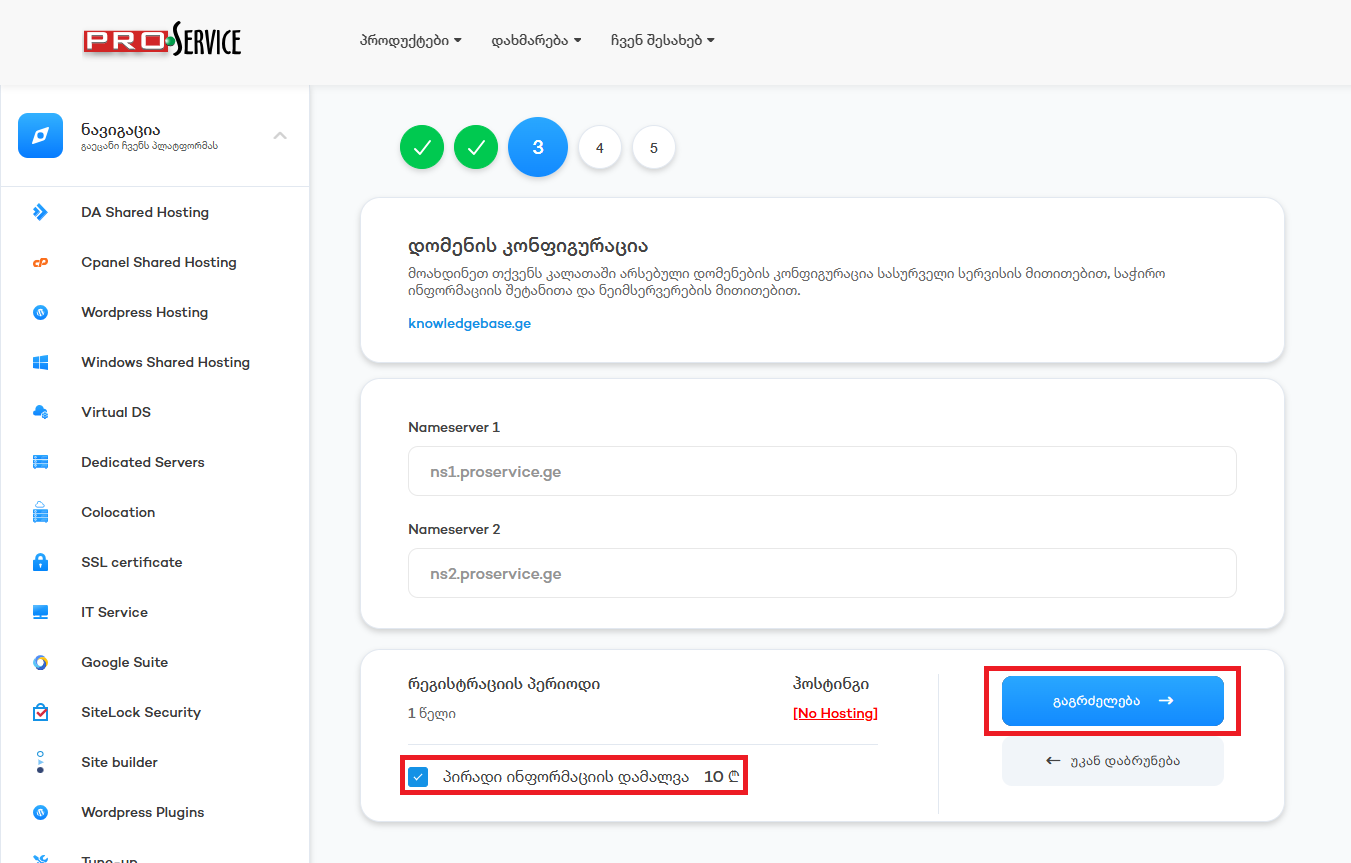
დარწმმუნდით რომ ყველაფერი სწორადაა და გააგრძელეთ
Make sure everything is correct and continue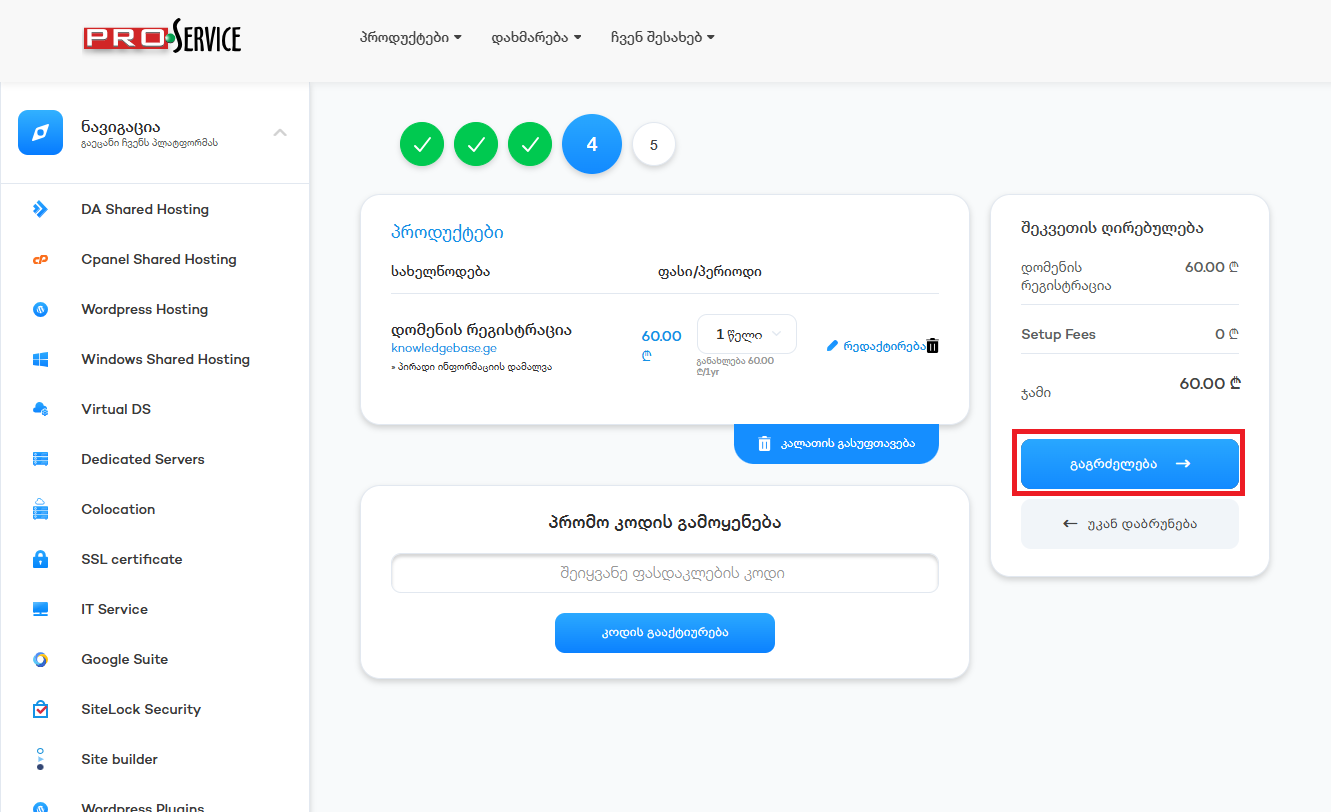
აირჩიეთ გადახდის მეთოდი მონიშნეთ რომ ეთანხმებით წესებს და პირობებს და დაასრულეთ შეკვეთა, ამის შემდგომ მიიღებთ ინვოისს, რომლის გადახდის შემდგომაც გააქტიურდება სერვისები.
Pick the payment method, then click the checkmark so that you agree to the terms and conditions and finish the order. You will get an invoice, and upon payment, services will be activated automatically.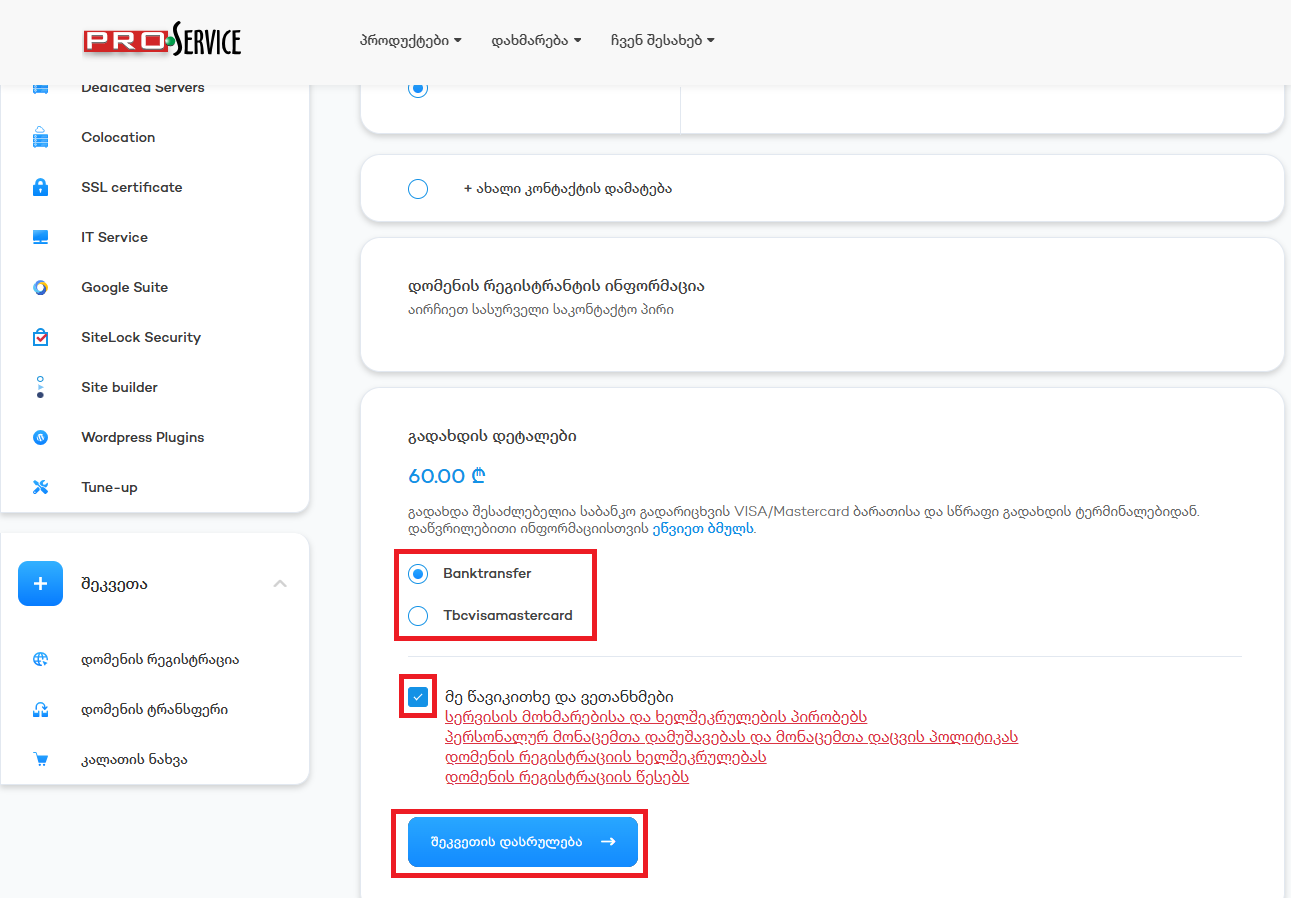
ცოდნის ბაზა
 Register a Domain
Related Articles
Powered by WHMCompleteSolution