














პირად კაბინეტში ვირჩევთ დომენის რეგისტრაციას
In your profile go to Domain Registration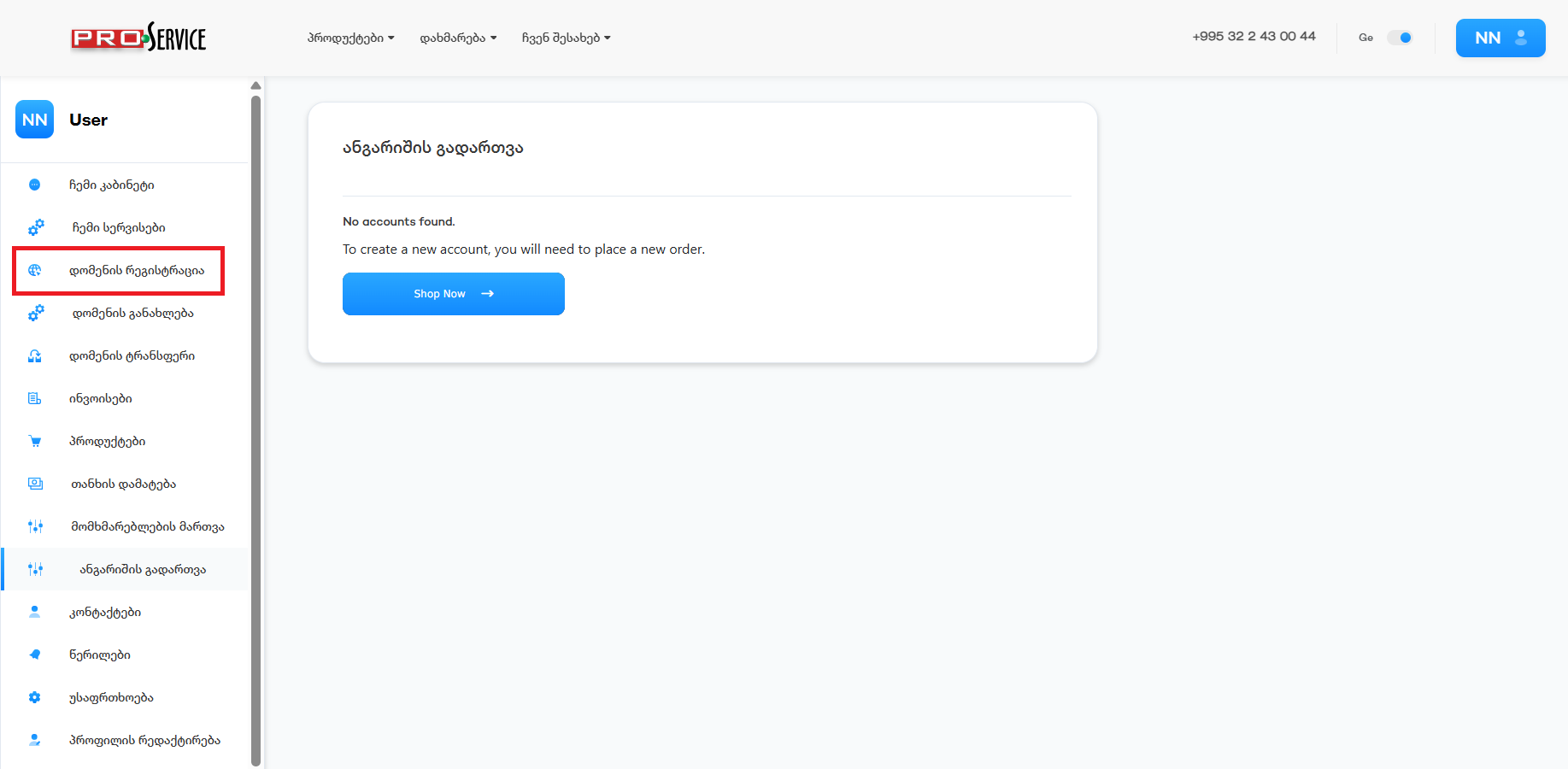
ვწერთ დომენს რომლის რეგისტრაციაც გვსურს, ამ შემთხვევაში knowledgebase.ge და ძიება
In the search bar, insert the domain you are about to register, in this case, knowledgebase.ge and Search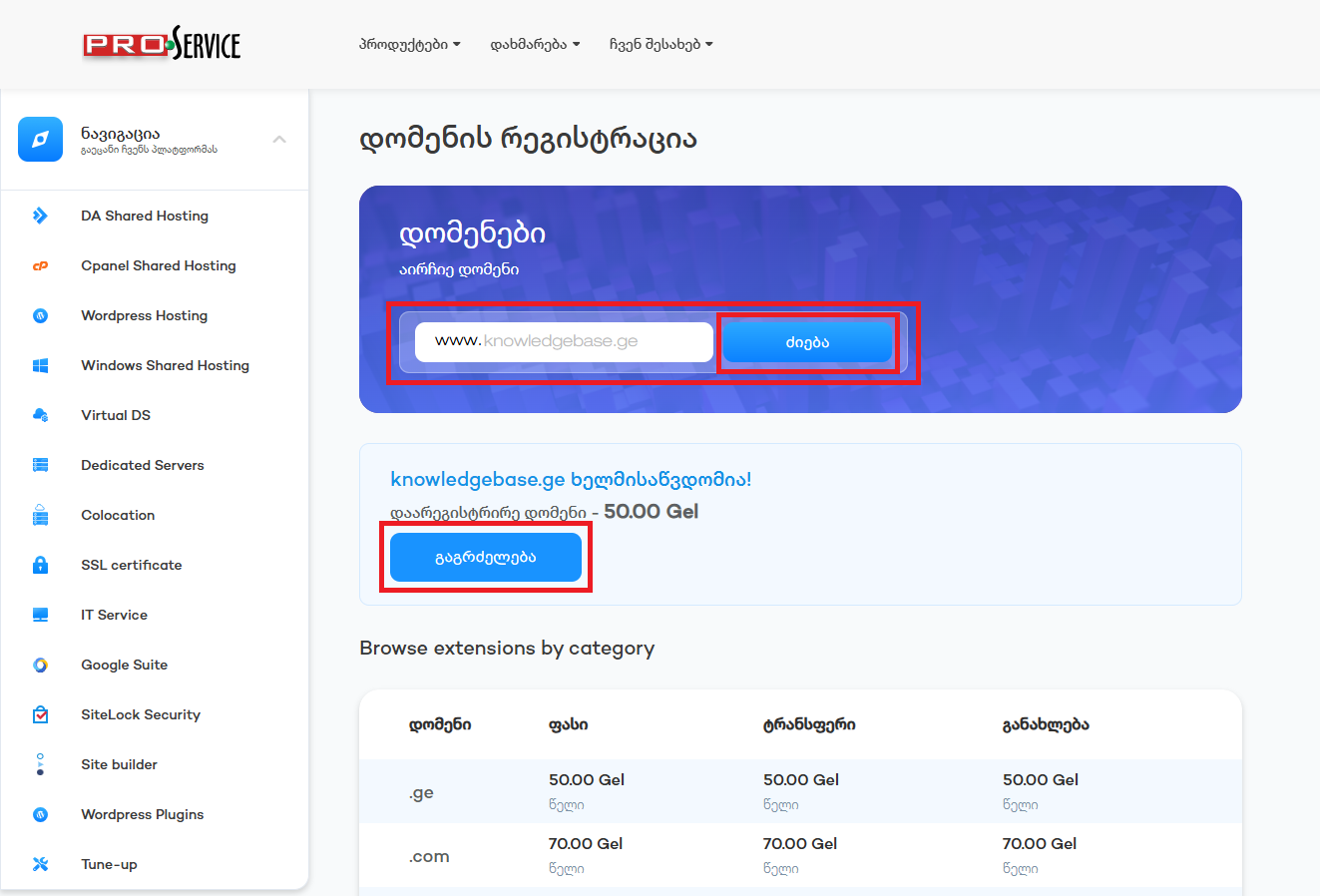
შემდეგ გვერდზე ვირჩევთ No Hosting-ს
On the next page, click No Hosting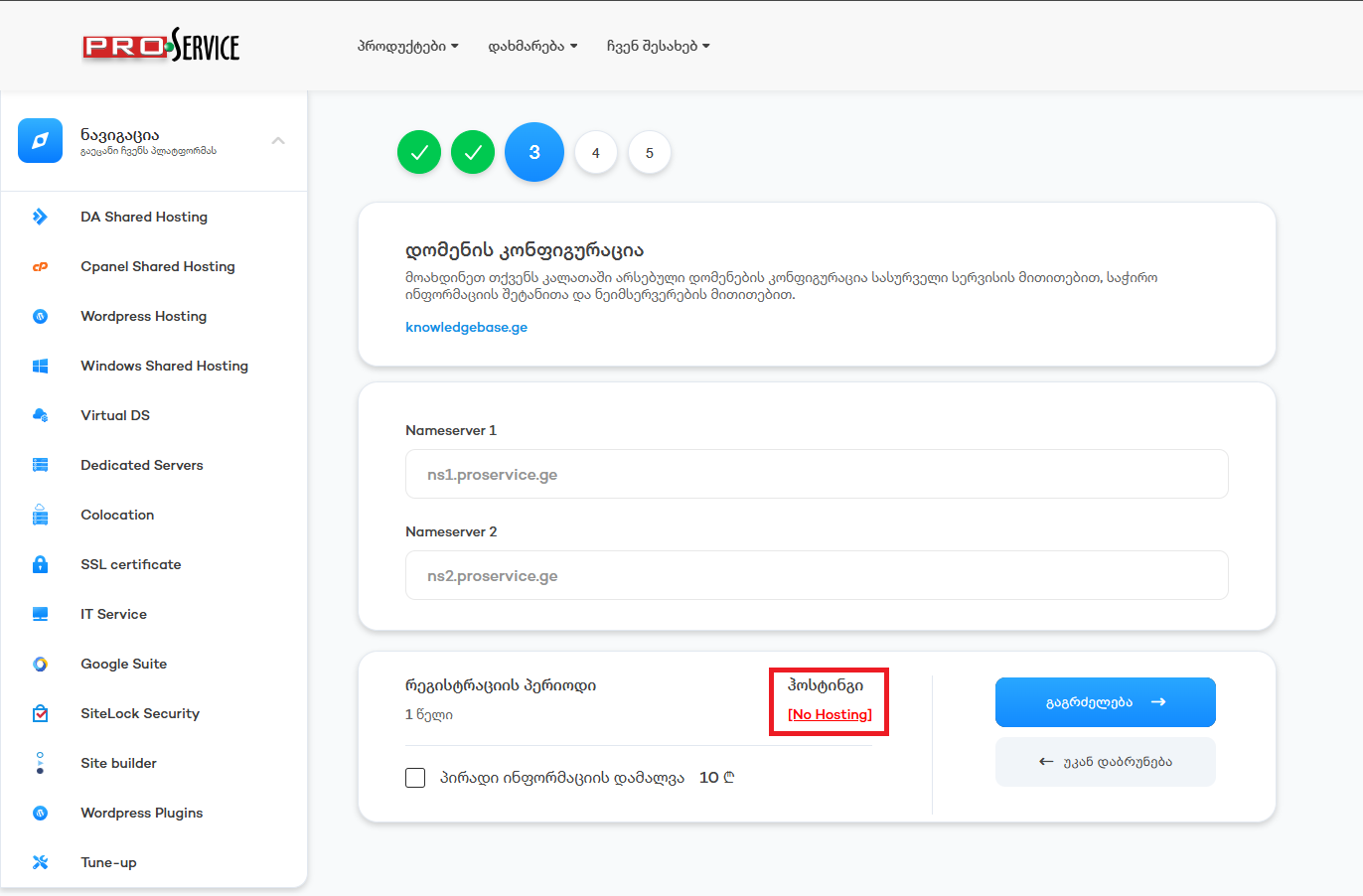
მარცხენა მხარეს ვირჩევთ სერვერის ტიპს და მართვის პანელს. მარვჯვნივ ვირჩევთ კონკრეტულ პაკეტს
On the left side, we pick the server type and control panel, and on the right side, we pick the web-hosting packet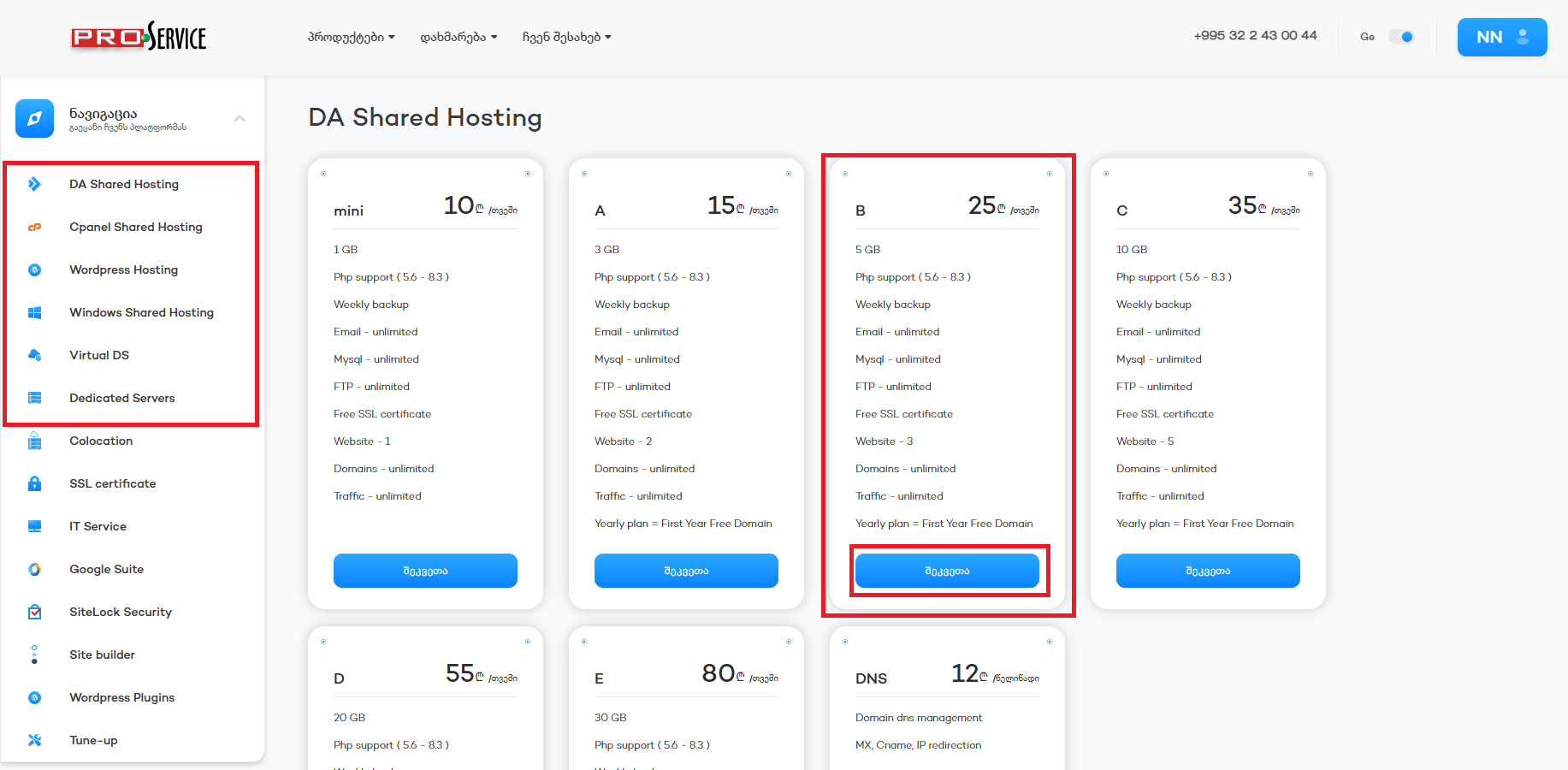
ვირჩევთ "გამოვიყენებ დომენს, რომელიც უკვე ჩემს კალათაშია ანუ რაც მანამდე ავირჩიეთ knowledgebase.ge
We choose the domain which is already in our cart, the one we previously picked, knowledgebase.ge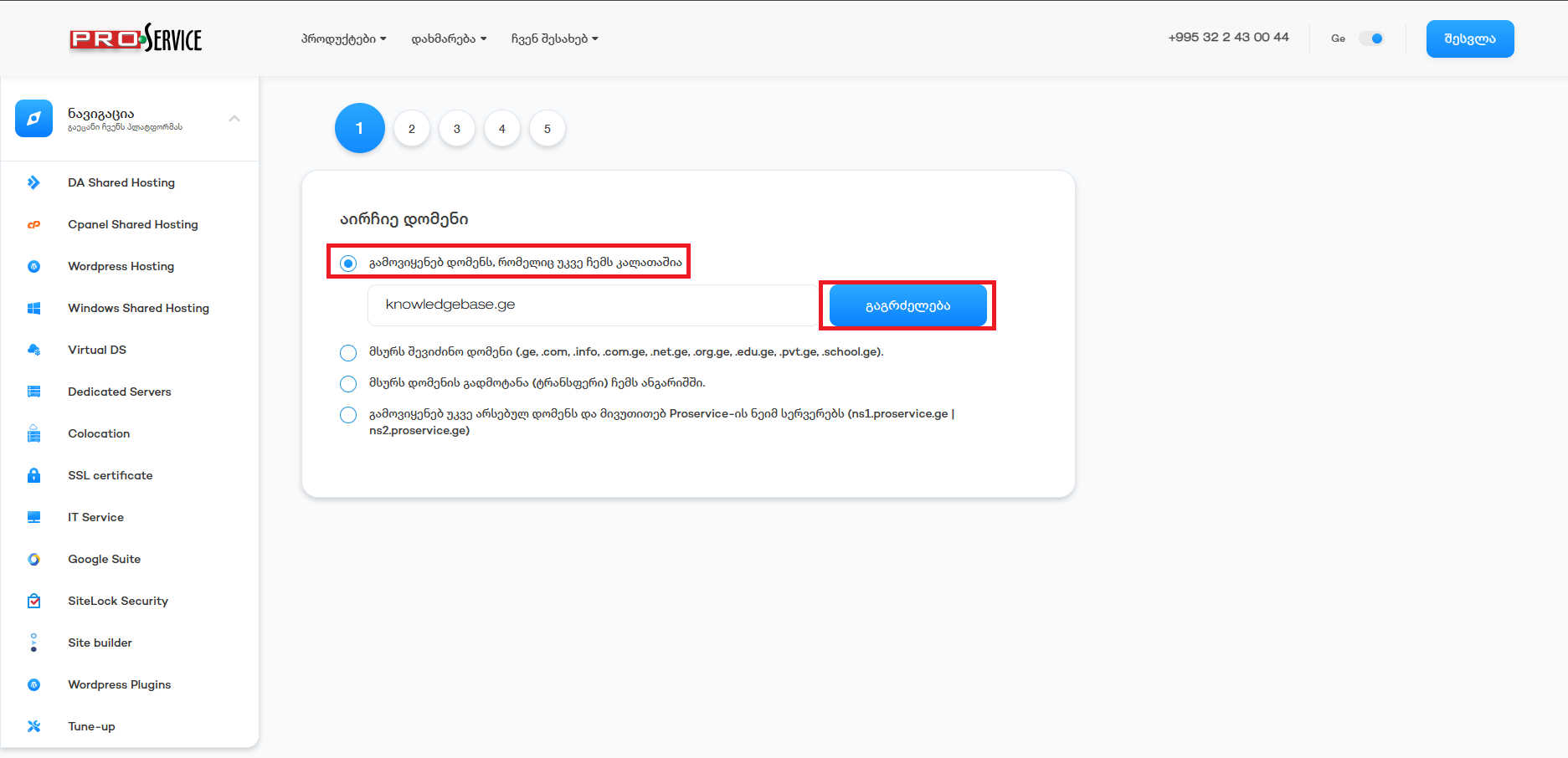
შეამოწმეთ რომ ყველაფერი სწორად გაქვთ არჩეული და გაგრძელება
Make sure you've picked everything correctly and continue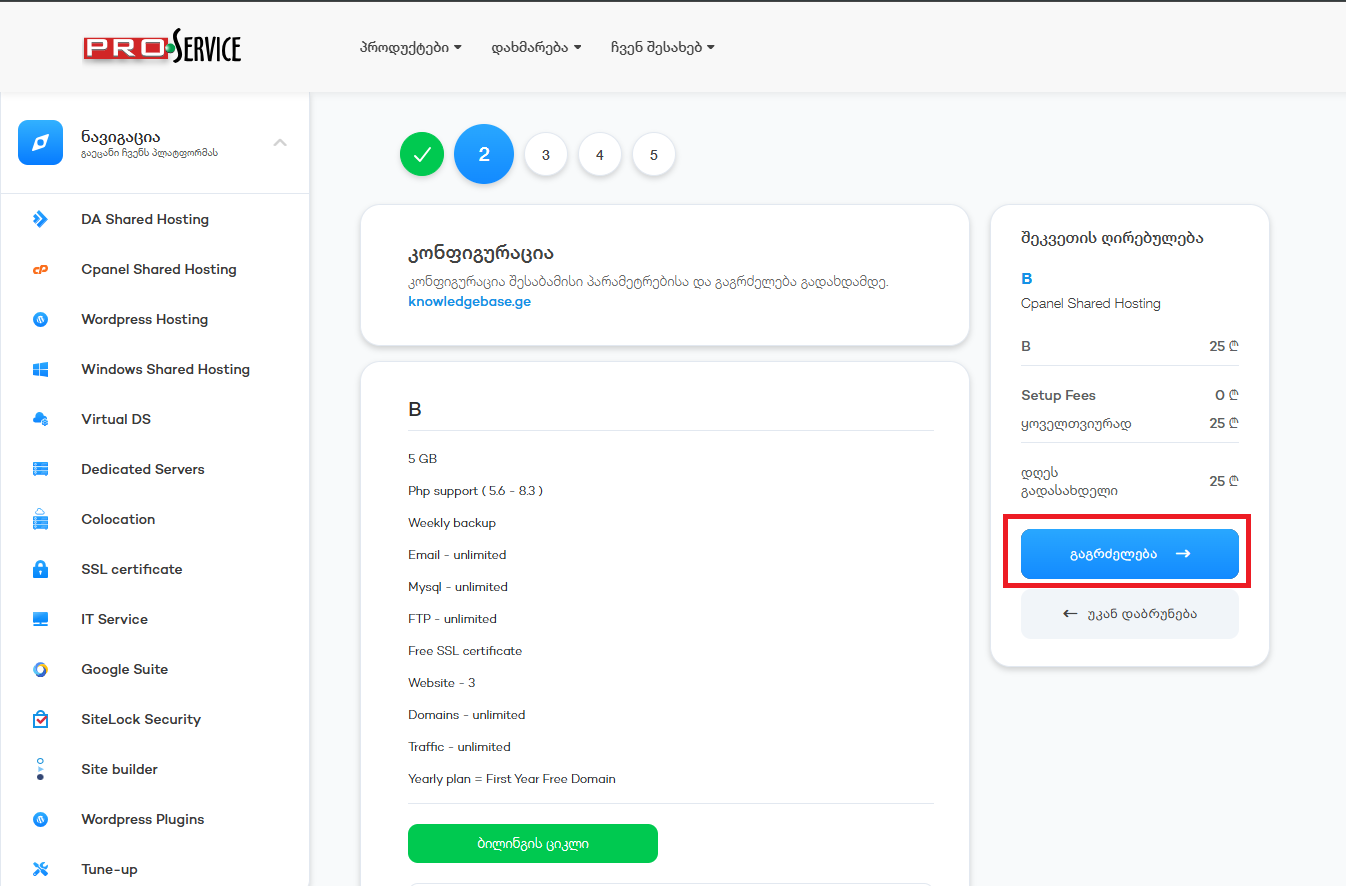
თუ გსურთ რომ არ ფიქსირდებოდეს ვის ან რომელ კომპანიას ეკუთვნის ეს დომენი, ამ შემთხვევაში, მონიშნეთ პირადი ინფორმაციის დამალვა და გააგრძელეთ
if you wish to hide your personal information publicly of person or company related to the domain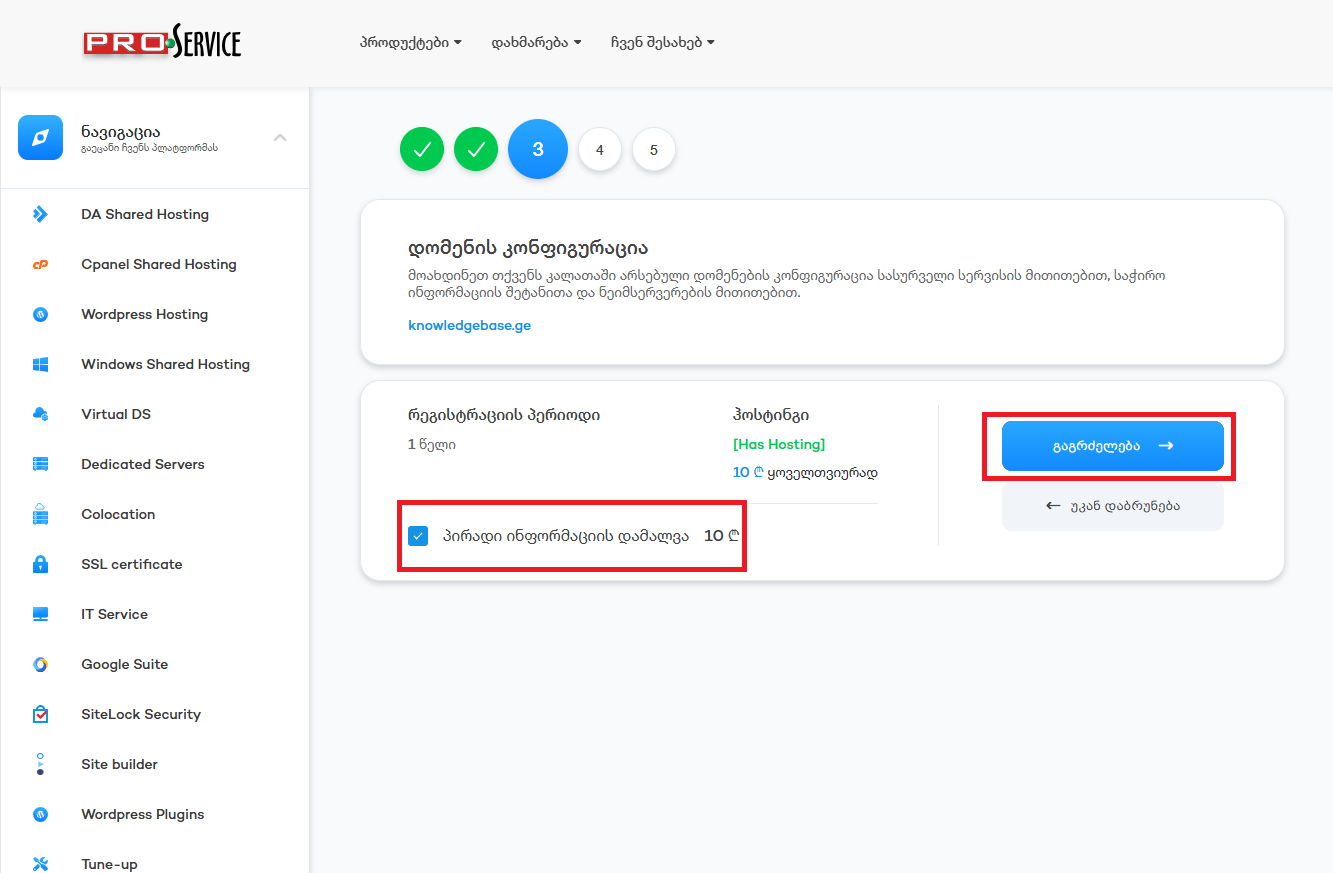
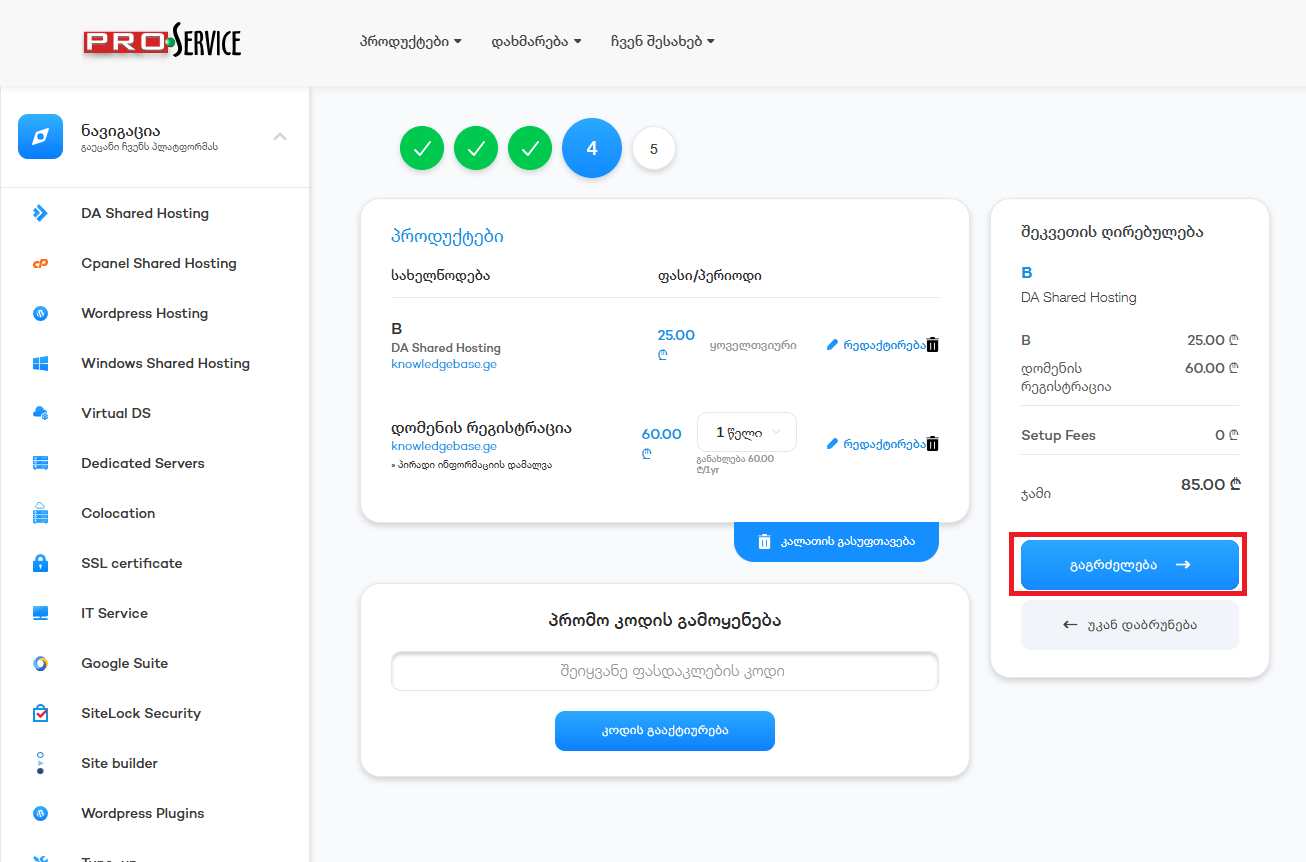
აირჩიეთ გადახდის მეთოდი მონიშნეთ რომ ეთანხმებით წესებს და პირობებს და დაასრულეთ შეკვეთა, ამის შემდგომ მიიღებთ ინვოისს, რომლის გადახდის შემდგომაც გააქტიურდება სერვისები.
Pick the payment method, then click the checkmark so that you agree to the terms and conditions and finish the order. You will get an invoice, and upon payment, services will be activated automatically.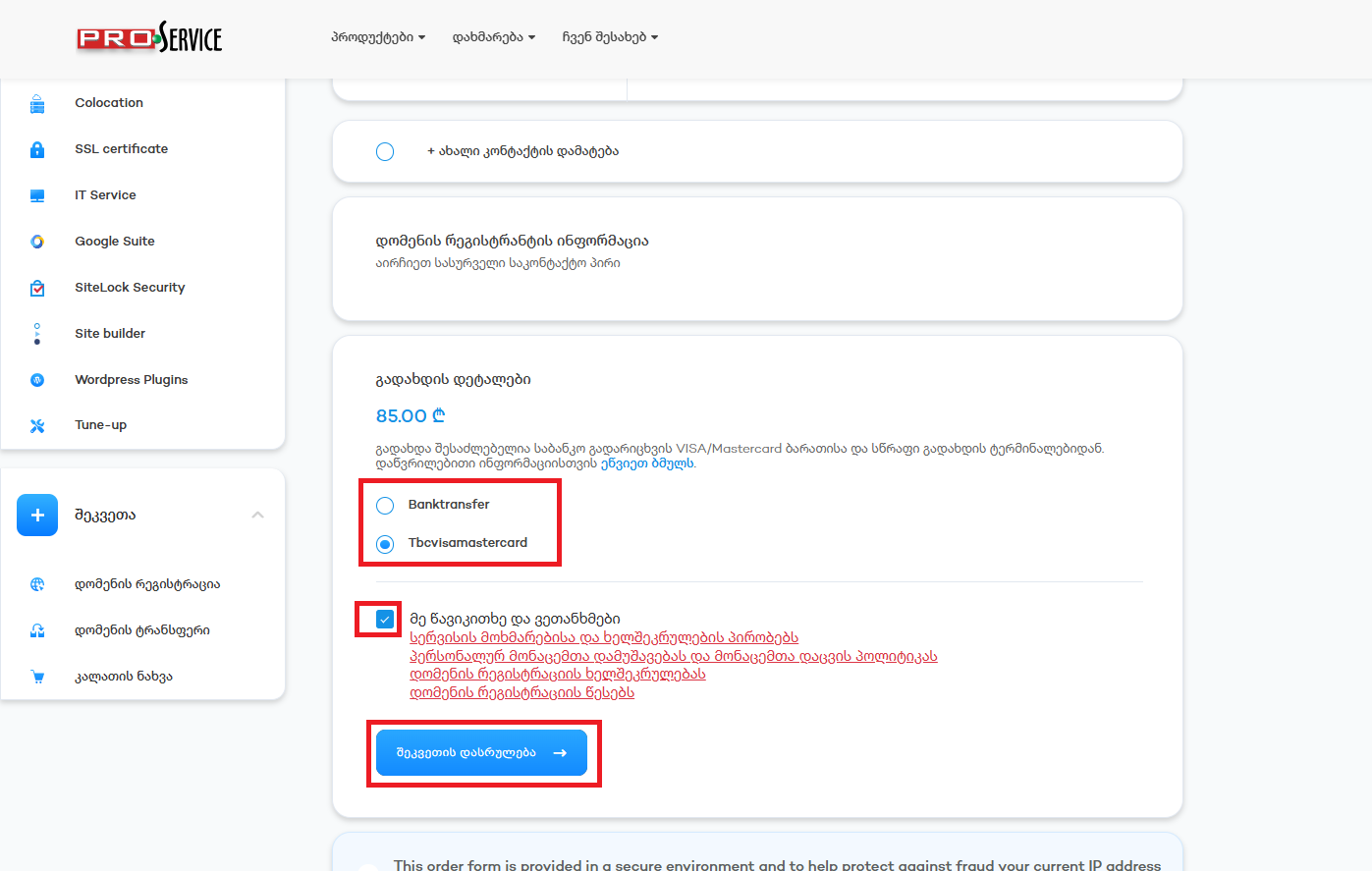
ცოდნის ბაზა
 Register a Domain with Web Hosting
Related Articles
Access to Hosting Control Panel
პირადი კაბინეტიდან გადადით სერვისებში
In your profile go to services
აირჩიეთ პაკეტი რომლის...
Upgrade Hosting Packet
პირად კაბინეტში გადადით სერვისებში
In Profile click on services
შემდეგ აირჩიეთ სერვისი...
Change NS Records
პირად კაბინეტში გადადით დომენების განყოფილებაში
In the profile click on the domains
აირჩიეთ...
How to Submit a Support Ticket
პირად კაბინეტში ჩამოშალეთ მენიუ დახმარება და აირჩიეთ დახმარების მოთხოვნაIn your profile roll down...
Order Web Hosting
პირად კაბინეტში გადავდივართ პროდუქტებშიIn your profile go to Productsმარცხენა მენიუში ვირჩევთ...
Powered by WHMCompleteSolution